
Browser Automation for Ecommerce Sellers
Ready-to-run browser Skilllets for ecommerce sellers and marketplace teams to automate product monitoring, review collection, competitor tracking, and store operations.
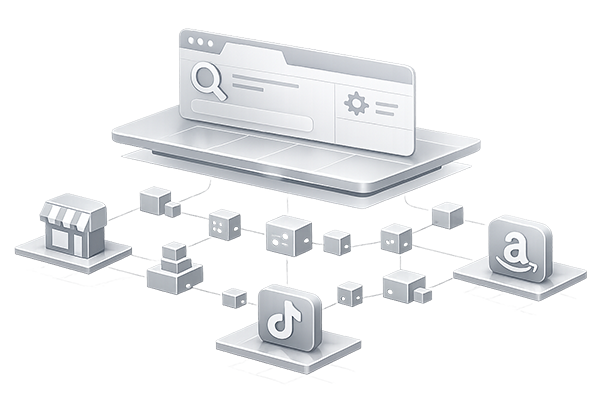
What you can automate
Skillpond helps ecommerce sellers automate daily browser work across marketplaces, online stores, seller centers, and social commerce channels without building fragile scripts from scratch.
Product and listing monitoring
Track product titles, prices, rankings, availability, and competitor changes across marketplace and store pages.
Review and feedback collection
Collect structured reviews, ratings, customer feedback, and product comments from ecommerce pages.
Store operation workflows
Automate repeated seller-center operations such as page checks, data exports, content updates, and routine inspections.
Multi-account browser tasks
Run workflows in isolated browser profiles with local sessions, proxy support, and account-specific environments.
Social commerce operations
Support repetitive browser tasks around TikTok, Facebook, Instagram, and other social commerce channels.
Competitor price tracking
Monitor competitor prices, promotions, and stock changes across marketplaces and ecommerce stores.
Why Skillpond for ecommerce sellers
Real browser execution
Run tasks in actual browser environments for dynamic pages, logged-in sessions, and account-based workflows.
Local profile support
Use isolated browser profiles with persistent sessions, cookies, and account-specific settings.
Reusable templates
Build once, reuse across multiple accounts, products, stores, and marketplaces.
Self-healing workflows
Adaptive automation patterns help workflows stay resilient when pages change.
Example Skilllets
Social commerce and marketplace teams can start with account, engagement, and creator workflow Skilllets while product-data Skilllets continue to expand.

Facebook Keyword Visit
Facebook Keyword Visit is a Facebook Skilllet for account warming. It runs in a real browser session to perform the configured browser workflow in a repeatable way. It accepts username keyword as input.
Facebook Keyword Visit Follow
Facebook Keyword Visit Follow is a Facebook Skilllet for account warming. It runs in a real browser session to follow eligible users, pages, or creators. It accepts username keyword as input.
Facebook Keyword Visit Like
Facebook Keyword Visit Like is a Facebook Skilllet for account warming. It runs in a real browser session to like or upvote eligible visible posts. It accepts username keyword as input.
Facebook Keyword Visit Repost
Facebook Keyword Visit Repost is a Facebook Skilllet for account warming. It runs in a real browser session to repost or reshare eligible content when enabled. It accepts username keyword as input.
Facebook Keyword Visit Save
Facebook Keyword Visit Save is a Facebook Skilllet for account warming. It runs in a real browser session to save or bookmark visible content. It accepts username keyword as input.
Facebook Keyword Visit Workflow
Facebook Keyword Visit Workflow is a Facebook Skilllet for account warming. It runs in a real browser session to follow eligible users, pages, or creators. It accepts username keyword as input.
Facebook Messages
Facebook Messages is a Facebook Skilllet for account warming. It runs in a real browser session to open message areas and review unread conversations.
Facebook Notifications
Facebook Notifications is a Facebook Skilllet for account warming. It runs in a real browser session to open notifications and review recent items.
How it works
Choose a Skilllet
Browse the catalog and select a pre-built automation for your ecommerce task.
Configure inputs
Set product URLs, store pages, account profile, region, or output format through a simple input form.
Run in a real browser
Execute the workflow in a browser environment that supports dynamic pages, sessions, and account context.
Export and reuse
Download structured results or save the workflow for future runs.
Frequently Asked Questions
Do I need coding skills?
Can I use different seller accounts?
Is this only for scraping?
Why not use a cloud scraper?
Ready to automate your ecommerce operations?
Browse ready-to-run ecommerce Skilllets and start automating repetitive marketplace and store work in Skillpond CLI.